Solutions
Keep one bad agent from burning it all.
A runaway agent — or a simple bug — can drain an API key or run up cost in minutes, with nothing in front to catch it. Meandr puts a shared limit in front of every call, so one agent's mistake can't become everyone's problem.
One shared limit in front of every call.
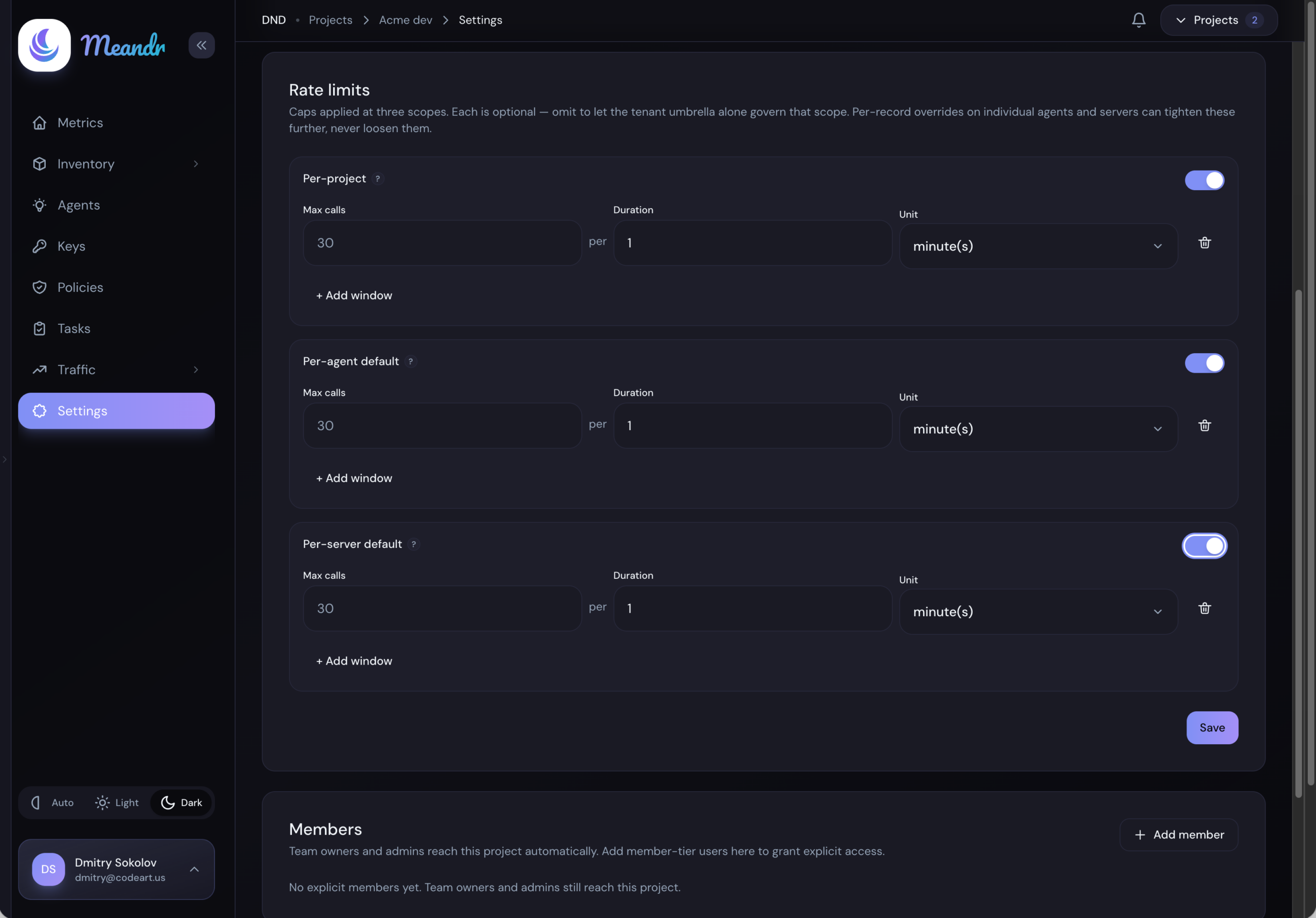
Set a cap once — per agent, project, or server — and Meandr counts against it across your whole fleet, so a single runaway can't drain the rest.
Direct connections don't scale quietly.
When every agent dials every server itself, the limits and the visibility you thought you had aren't really there.
No shared limit to hold
When each agent connects to a tool server directly, nothing sits between them and the upstream. There's no single place that sees — or caps — the whole picture.
One agent can blow through it
A runaway agent — or a simple bug — can hammer a rate-limited API with nothing in front to slow it down, running up cost or exhausting a shared quota in minutes.
Per-box limits quietly lie
Run three copies of a limiter, each counting to 60 a minute, and your real limit is 180 — not the number you set. A limit that doesn't add up isn't a limit.
A cap is a scope and a window.
Each limit names what it counts and how fast — a window from one second up to an hour. Scopes stack: a whole project, a single agent, or one upstream server, all on top of the plan-wide ceiling every tenant carries, and each is counted once across the whole gateway fleet.
Scope:   agent   "batch-importer"
Window:  200 calls / 60s

Scope:   server  "stripe"
Window:  60 calls / 60s

Scope:   project "checkout"
Window:  5,000 calls / 60s
Scopes are per project, per agent, and per server — never per tool. To slow one specific tool, deny or approve it with a policy rule instead.
How it works
One limit, enforced before the call leaves.
Your agent connects to Meandr the same way it connects to any MCP server. The rate limiting happens on the way through.
Route
One endpoint for every call.
Every call your agents make goes through one Meandr endpoint over standard MCP — streamable HTTP or SSE. Nothing new to learn on their side; they just call a different address.
You set up: agents and tokens, in the dashboard.
Enforce
Limits that hold fleet-wide.
Rate limits count across your entire fleet at once — per agent, per project, per server. Go over, and further calls are turned away instantly, without dragging down anyone else's traffic.
You set up: rate-limit caps per agent, project, and server.
Save
Blocked calls don't count.
A blocked call never reaches the upstream — so you only pay for the calls that actually get through. A runaway agent gets turned away before it costs you anything upstream.
You set up: nothing extra — enforcement is automatic once caps are set.
Questions you'd ask anyway.
How are rate limits configured?
What happens when a limit is hit?
Can one runaway agent slow down the others?
Does this replace my provider's own rate limits?
Stop one agent from burning the whole budget.
Point your agent at one endpoint and you're governed in minutes — no code changes, no proxy to run.
Get startedQuestions? Email us