Resources · Guide
Write your first policy
A policy is a list of rules. Each call your agent makes gets one answer from it — allow, deny, or require a human's approval — matched on the agent, the tool, and even the argument values.
Three ideas
Everything a policy does, in three moves
Match
What the rule applies to.
Pick what a rule applies to: the agent, the server or tool, and — where it matters — the actual argument values, like an amount over a threshold.
Decide
What happens when it matches.
Choose the outcome: allow the call, deny it outright, or require a human's approval before it runs.
Order
Rules run top to bottom.
Your rules run in order, and the first match wins. Put your most specific rules first, and end with a catch-all.
In plain terms
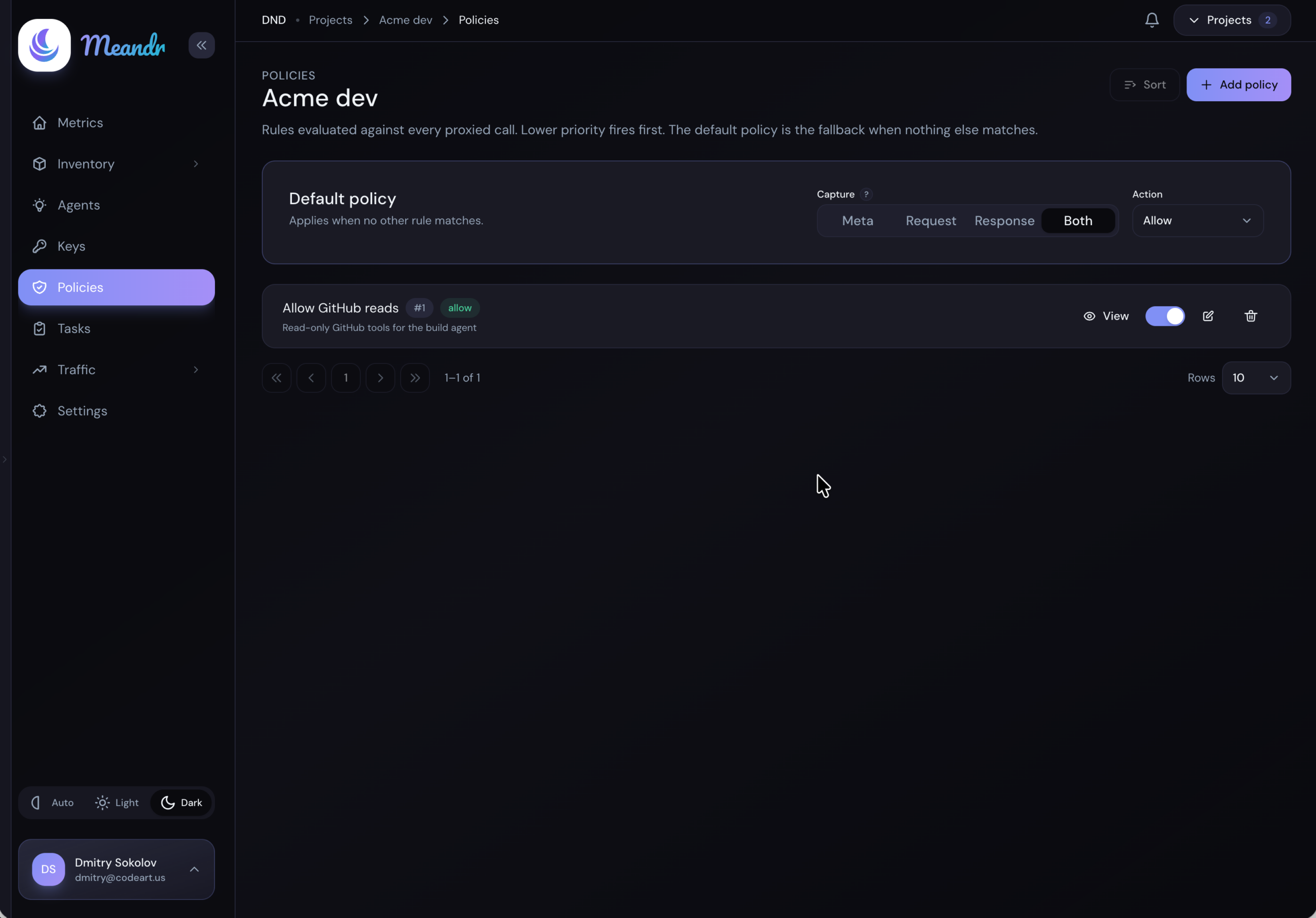
A policy reads like a short, ordered list. Here's a two-rule example: hold back large refunds for a human, and let everything else through.
1. refund tool, amount > 100 → require approval
2. everything else → allow
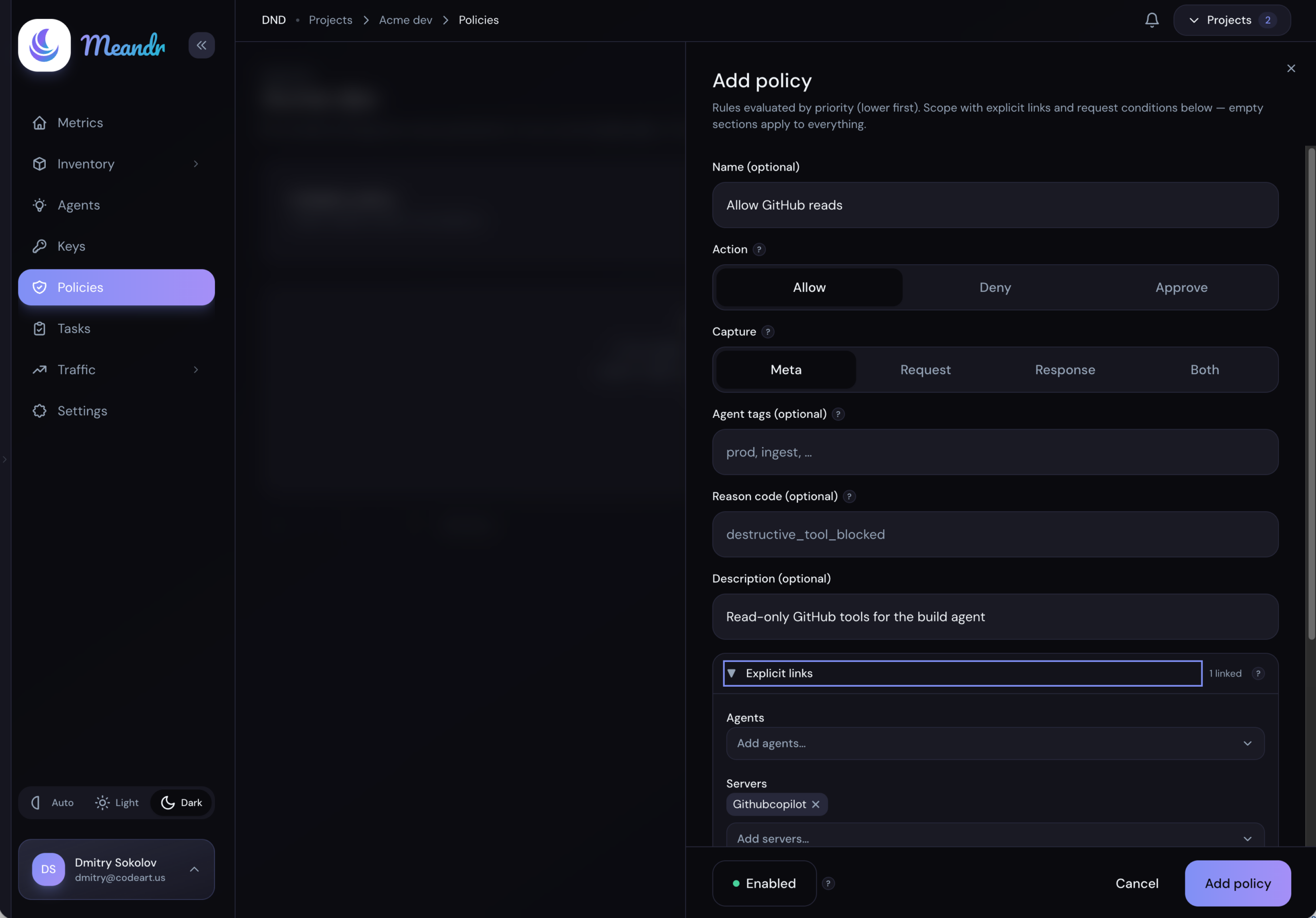
In the dashboard that rule is one dialog — Add policy. Only two fields are required; leave a section empty and it applies to everything.
| Field | What it does |
|---|---|
| Name | For humans — "Allow Notion reads" beats an id when you're scanning the list later. |
| Action | Allow, Deny or Approve — the verdict when this rule matches. |
| Approval type | For Approve: Offline, where approvers decide later on the Tasks page, or Interactive, where they answer inside the agent. |
| Deadline | For Approve: how many seconds approvers have to decide before the held call expires and never runs. |
| Require an OTP | For Approve: approvers seated on the policy confirm with a one-time code, so the decision carries their name. Without it, anyone holding the agent's session can answer in the agent, and the decision is recorded without a name. |
| Record responses | Requests are always recorded; switch it on to keep responses too. |
| Agent tags | Limit the rule to agents carrying these tags. Empty means every agent. |
| Reason code | A short machine-readable label that travels with the decision — useful when you're reading the audit trail. |
| Description | Why the rule exists and who owns it. |
| Targets | Narrow the rule to specific agents, servers, tools, prompts or resource templates. Leave a list empty and it covers all of them — so linking just the server keeps the rule working as you import more of its tools. |
| Request conditions | Match on the call itself: tool, server, prompt and resource template name globs, tool hints (Read-only, Destructive, Idempotent, Open world), resource URIs, IP / CIDR, request headers, and argument values by path ($.amount, $.user.email, or just amount) with an operator: eq, neq, gt, gte, lt, lte, matches, contains, in, exists. |
Order matters. Rules are evaluated by priority, lowest first, and the first match decides the call — so put your specific exceptions above the broad rules, and let the workspace default catch whatever falls through.
When a rule says "require approval."
The call pauses mid-flight and waits for a person. Deny it, or let it time out, and it never runs — either way the decision is logged against the rule that asked for it.
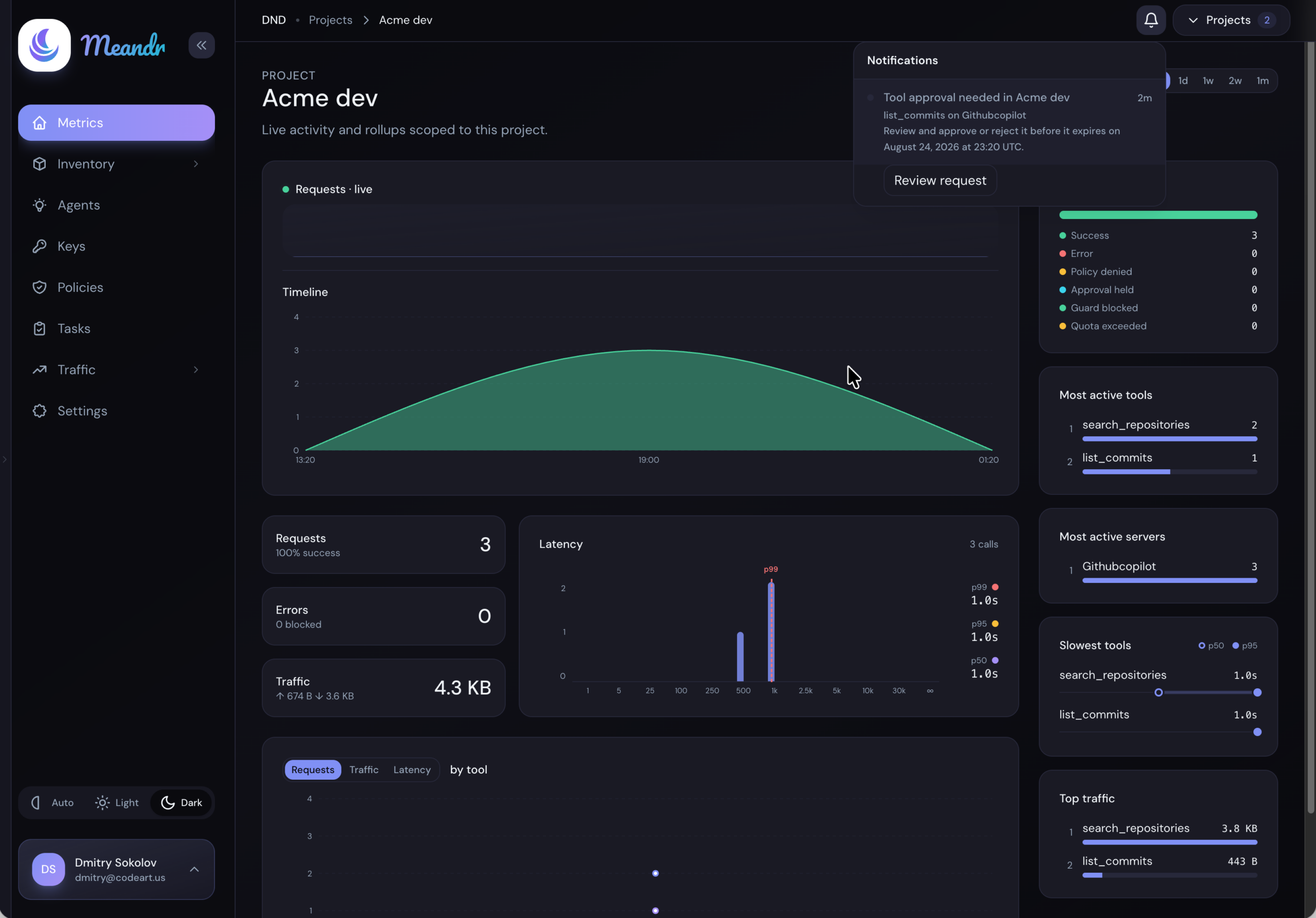
You get notified. A notification appears in the top bar with a Review button, and an email arrives too.
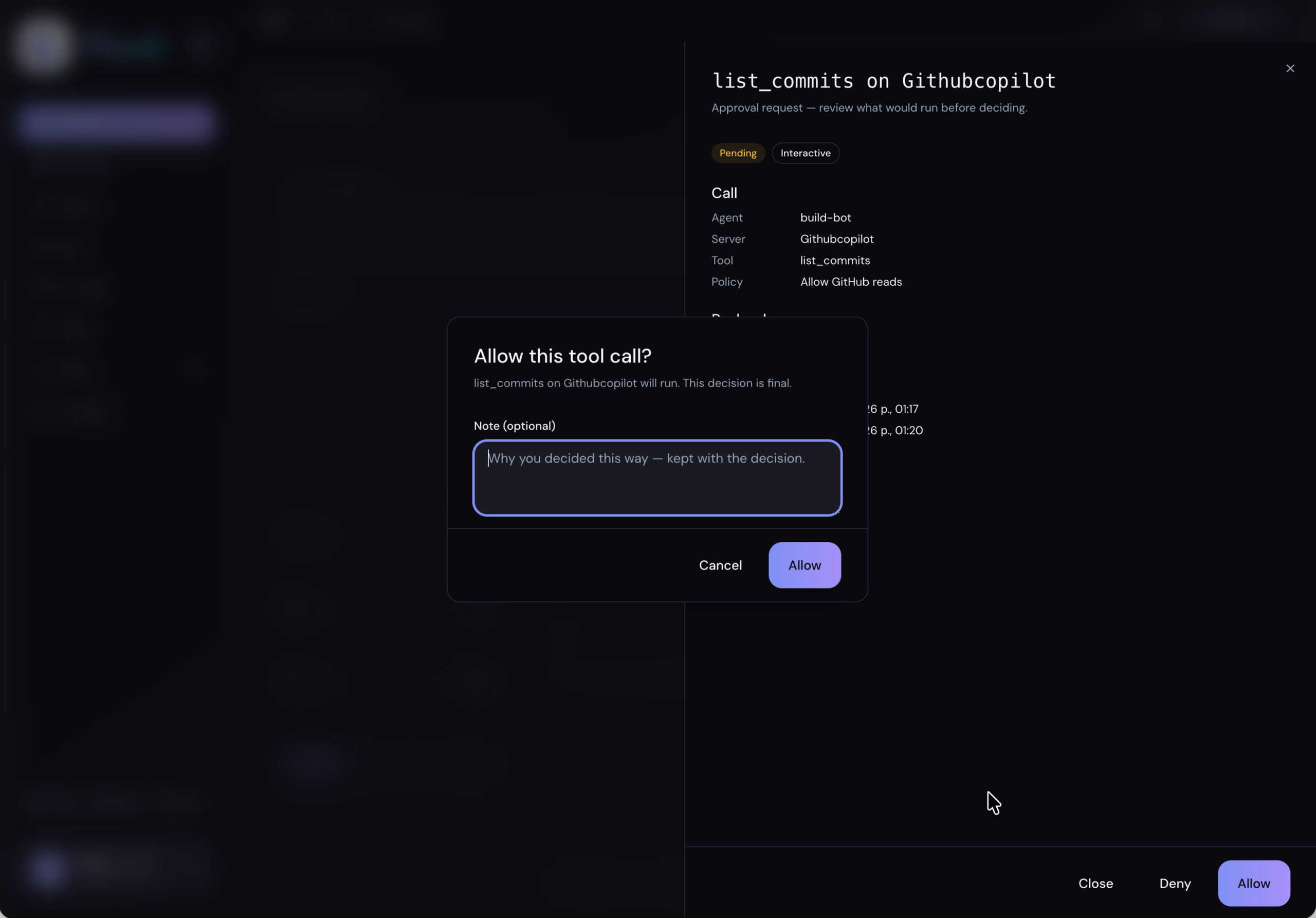
You see what's being asked. Review opens a panel with the call itself — which agent, which tool, and the arguments it wants to run with.
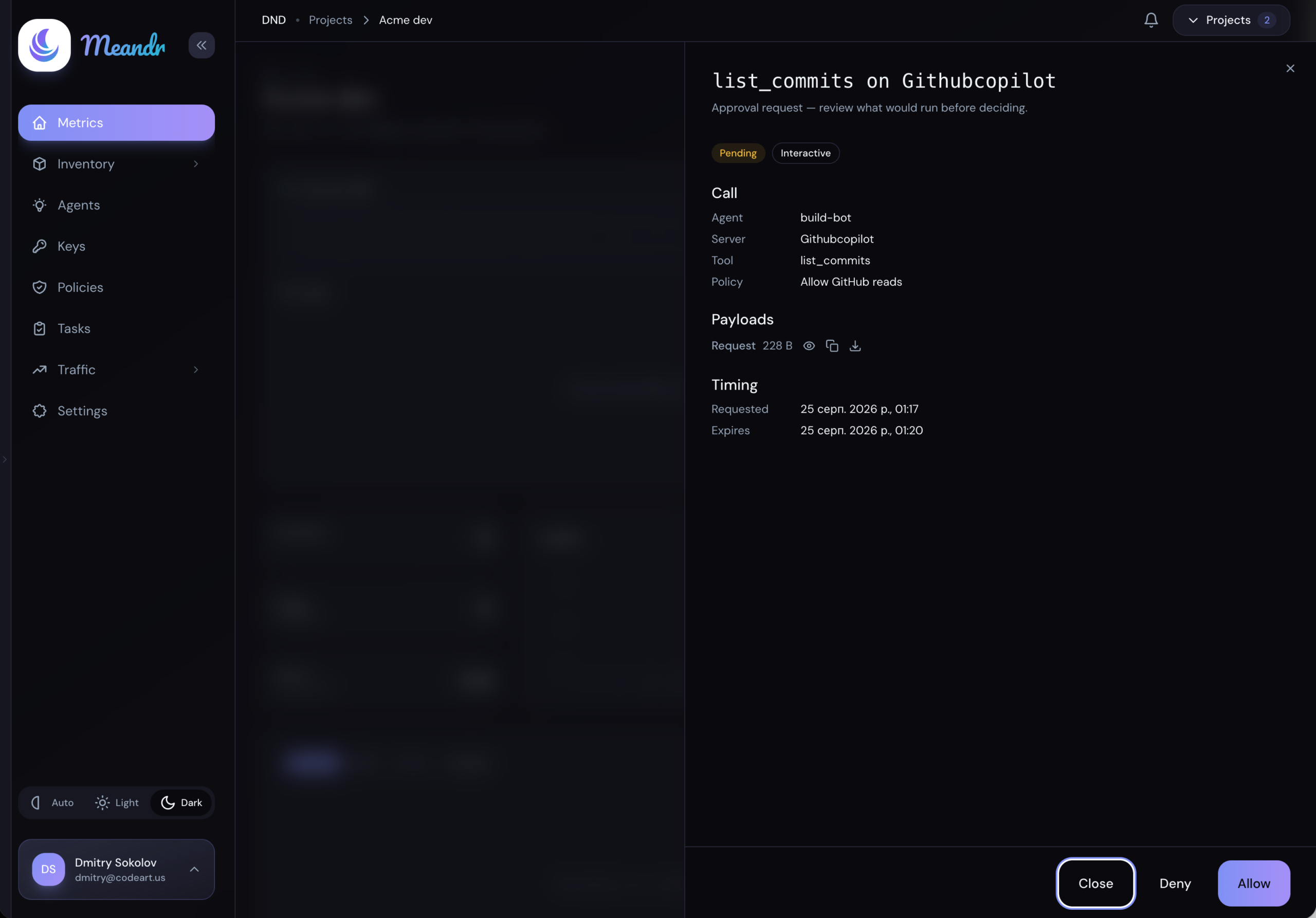
You confirm. Allow asks once more — naming the tool and the server it will run against, and warning that the decision is final. Approve and the call runs exactly as the agent asked; deny and it never does.
Next steps
Connect a tool server
Add the MCP servers your agents should reach, and choose how Meandr signs in to each.
Connect an agent
Give your agent its workspace URL. Agents that support OAuth just sign in.
Connect your first agent
Run any MCP server in Meandr or connect the ones you already have, then point every agent at one MCP gateway. Policy, approvals and audit cover every call, with no code changes.
Try for freeQuestions? Email us